Small Business VoIP: What You Get and How to Pick a Provider
- April 4, 2024
- 14 Mins Read
- Listen

If your business still pays for a landline and a few desk phones, you’ve probably wondered whether switching is worth the hassle. For most small teams, it is. Small business VoIP (voice over internet protocol) runs your phone system over the internet connection you already pay for. That means no on-site phone box, no separate line for every employee, and no waiting for a technician every time someone joins.
This guide covers what a VoIP phone system for a small business actually does, what it costs once you add up the extras, which features are worth paying for, and how eight well-known providers compare. We build telecom software at REVE Systems, so we’ll also tell you where we fit and where we don’t.
What is small business VoIP?
Small business VoIP is a phone system that carries calls over the internet instead of traditional copper lines. The provider hosts the system in the cloud, and your team makes and takes calls on desk phones, a computer, or a mobile app, all using a business number.
Here’s what happens on a call. Your phone or app turns your voice into small digital packets and sends them over your internet connection to the provider. The provider connects you to whoever you’re calling. If they’re on a regular phone, the call moves onto the public switched telephone network (PSTN) for the last stretch.
You’ll see this called hosted VoIP, cloud PBX, or a virtual phone system. The labels overlap a lot. They all mean you’re not running a phone box in a closet. Many plans also bundle texting, video meetings, and team chat, which is why you’ll sometimes see the term UCaaS (unified communications as a service).
Small business VoIP vs. a traditional landline
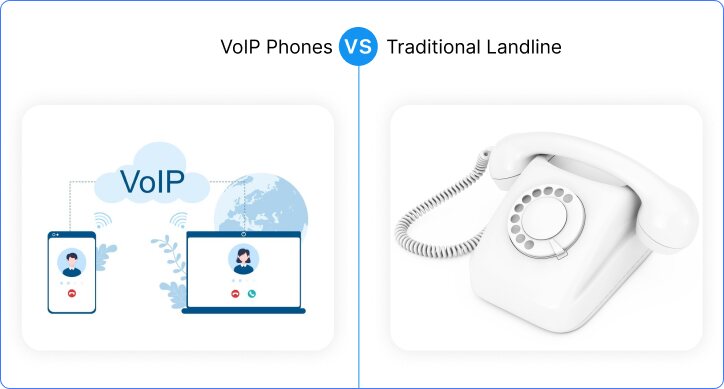
| Feature | Traditional landline | Small business VoIP |
| Equipment | On-site PBX and physical lines | Hosted by the provider; you need phones, headsets, or an app |
| Upfront cost | Often thousands for hardware and installation | Usually low; desk phones are optional |
| Adding a user | New line, sometimes new wiring | Add an extension in a web dashboard |
| Working outside the office | Mostly limited to call forwarding | Same business number on a laptop or mobile app |
| Features | Basic voicemail; extras cost more | Auto attendant, ring groups, call recording, and texting are often built in |
| Long-distance and international | Per-minute carrier rates | Typically cheaper, but check the international rate card |
| When the power or internet fails | Copper lines often keep working | Depends on your internet and power, so you need a backup plan |
Landlines still win on one thing: they tend to survive a power cut. If your business can’t go offline for even an hour, plan a second internet connection or a mobile failover before you switch. More on that below.
What you actually get from switching
Lower monthly bills
You stop paying for a separate line per employee and for a maintenance contract on a PBX. Long-distance and international calls usually get cheaper too. The savings are biggest for offices with several lines and a lot of out-of-area calling. If you only have one line and make a handful of local calls, the gap is smaller.
A number that follows your team
With a mobile or desktop app, people answer the business number from wherever they are. A sales rep can return a call from the car park. A project manager can pick up on site. The customer sees the company number either way.
Growth without rewiring
New hire? Add an extension in the admin panel. Opening a second office? Connect it to the same system and the same main number. You don’t need new cabling or a second phone vendor in each location.
Features that used to cost enterprise money
Auto attendant, call routing by business hours, ring groups, voicemail-to-email, call recording, and video meetings now come with most hosted plans. A five-person company can sound as organized as a fifty-person one.
Less IT work
Everything is managed from a browser. Changing who answers after hours takes a few clicks, not a service call.
Features worth paying for (and a few you can skip)
Most small businesses need fewer features than the plan pages suggest. Start with these.
Worth having from day one
- Auto attendant. A recorded menu that routes callers to sales, support, or a person. This is what makes a small team sound organized.
- Call forwarding and ring groups. Ring several phones at once, or in order, so no call goes unanswered.
- Mobile and desktop apps (softphones). Check how good they are during the trial. A clunky app is the most common complaint from staff.
- Business-hours routing. Different handling for open hours, lunch, and after hours.
- Voicemail-to-email and transcription. Saves everyone from dialing in to hear a message.
- Texting from the business number. Customers increasingly prefer to text.
Useful if your work needs them
- Call recording. Important for support, sales coaching, and some regulated industries.
- IVR menus. If you want callers to press 1 for billing and 2 for support, read our guide on how to set up an IVR system. If you’re weighing menus against AI call handling, see IVR vs. AI voice agents.
- CRM integration. Worth it when your team logs every call.
- Call queues and reporting. Matters once several people share an inbound line.
Often not worth paying extra for
- Advanced analytics dashboards for a team of five.
- Local numbers in a dozen countries you don’t operate in.
- AI features you won’t read. Test them in the trial before you pay for a higher tier.
How much does small business VoIP cost?
Most hosted plans land between about $15 and $40 per user per month. Entry plans cover calling and the basics. Plans with call recording, deeper reporting, and CRM integration cost more. Paying yearly instead of monthly usually lowers the per-user price.
The plan price is only part of the bill. Ask for a full quote that includes:
- Desk phones. Optional, but if you want them, budget for each one. Many providers sell or lease them.
- Setup and number porting fees. Some providers charge, some don’t.
- Taxes and regulatory fees. These get added on top of the listed price in many regions.
- Extra numbers. Toll-free and additional local numbers are often add-ons.
- International calling. Check the rate card for the countries you call most.
- Contract length and exit fees. A cheaper monthly rate isn’t a bargain if you’re locked in for three years.
Prices change often, so confirm everything on the provider’s own pricing page before you decide.
What you need before you switch
VoIP is only as good as the connection under it. Check these before you sign up.
Bandwidth. Plan for about 100 kbps per call in each direction with the common G.711 codec, or around 30 kbps with G.729. Ten calls at once need roughly 1 Mbps up and down for voice alone, on top of whatever else your office uses.
Call quality basics. Latency, jitter, and packet loss decide how a call sounds. Common targets for good quality are under 150 ms one-way latency, under 30 ms jitter, and under 1% packet loss. Most providers offer a free network test. Run it at the busiest time of your day, not at 7 a.m.
Your router. Look for quality of service (QoS) settings so voice traffic goes first when someone starts a large download. Plug desk phones in with a cable rather than relying on Wi-Fi.
A backup plan. Set the system to forward calls to mobile numbers if your internet drops. If downtime is costly, add a second connection from a different provider or a 4G/5G failover.
Emergency calling. A landline is tied to a physical address, so emergency services know where the call comes from. A VoIP number isn’t. Register a service address for each location, make sure remote staff update theirs when they move, and ask your provider exactly how emergency calls are handled.
8 small business VoIP providers compared
A quick note on how this list works. We make telecom software, so we’re one of the options here. To keep it fair, the providers are listed alphabetically, not ranked, and each is described by who it suits best. Features and prices change often, so check each provider’s site before you buy.
| Provider | Best for | Worth knowing |
| REVE Systems | Businesses and resellers that need a customized or white-label voice platform | Quoted per project, not a one-click plan |
| 8×8 | Teams that want calling, chat, and video in one app, including teams that call abroad | Features are tiered, so check which plan includes what you need |
| Dialpad | Sales and support teams that want AI call transcripts and notes | The AI features are the draw; confirm which ones your tier includes |
| Google Voice | Freelancers and small teams already on Google Workspace | Simpler than a full business phone system |
| Grasshopper | Solo owners who want a business number on their mobile | Built for very small teams, not a PBX replacement |
| Nextiva | Customer-facing teams that value support and reliability | Usually priced above entry-level options |
| Ooma | Single-location offices that want easy setup and desk phones | Lighter feature set than the big suites |
| RingCentral | Growing teams that want phone, texting, video, and integrations in one platform | Wide range of plans; some add-ons sit in higher tiers |
REVE Systems
REVE Systems builds telecom software, and its site says it works with telcos, service providers, and enterprises in more than 80 countries. That’s a different offer from an off-the-shelf subscription. For a five-person team that just wants phones working by Friday, a ready-made plan from one of the providers above will be quicker.
REVE makes more sense if you need something shaped to your business: a branded voice and video app, a hosted PBX, or a cloud PABX and contact center solution. It also suits resellers who want to offer VoIP under their own name. See the Voice, Video & Messaging App and hosted softswitch pages for details. Pricing depends on scope, so you’ll need to talk to the team.
8×8
8×8 combines voice, chat, and video meetings in one app that runs on desktop, mobile, or in the browser. It also includes features like auto attendant, voicemail-to-email, and call monitoring. It’s a good fit if some of your team calls internationally. As with most suites, the higher plans unlock the more advanced features, so match the plan to your needs before you commit.
Dialpad
Dialpad’s selling point is AI. It can transcribe calls in real time, take meeting notes, and give live coaching prompts to sales and support agents. It also covers video meetings, SMS, and MMS. The company advertises a free trial, so use it to find out whether the AI features save your team time or just add noise.
Google Voice
If your team already lives in Google Workspace, Google Voice is the low-friction choice. Paid business plans add a multi-level auto attendant, ring groups, and call recording, and calls, texts, and voicemail work across phones and laptops. It’s easy to use. It’s also lighter than the dedicated phone suites, so check that it covers your call-handling needs.
Grasshopper
Grasshopper gives self-employed people and very small teams a business number that runs on the phones they already own. You get call forwarding, voicemail transcription, and texting without buying hardware. If you expect to grow into queues, reporting, and deeper integrations, you’ll likely outgrow it.
Nextiva
Nextiva is known for broad calling, texting, and fax features and for a support-first reputation. The company advertises very high uptime and includes tools like call analytics and call monitoring. It’s rarely the cheapest option, so the question is whether the support and reliability are worth the premium for your business.
Ooma
Ooma is a practical pick for an office in one location. It supports intercom calling, overhead paging, hot desking, and virtual receptionist features, and setup is straightforward. It has fewer advanced features than the larger suites, which is fine if all you need is a solid office phone system.
RingCentral
RingCentral brings phone, texting, video meetings, and team chat into one platform, with a wide range of plans and many third-party integrations. It works well for teams that expect to grow and want everything in one place. Because the plan range is wide, compare tiers carefully so you don’t pay for features you won’t use.
How to choose the right provider
Ignore the feature checklist for a minute and answer five questions.
- How many people will use it, and how many calls will happen at once? This decides your plan size and your bandwidth.
- Where do your people work? If half the team works from home or on the road, the mobile and desktop apps matter more than the desk phones.
- Which two or three features would you miss on day one? Pick providers that include those in the plan you can afford.
- How good is support? Contact support during your trial and see how long it takes to get a real answer. You’ll need them most when something breaks.
- How hard is it to leave? Read the contract terms, and ask how number porting out works.
Then run a two-week trial with real calls and real staff. A demo shows you what the provider wants you to see. A trial shows you what your team will live with.
How to set up a small business VoIP phone system
- Map your calls. List your users, the numbers you want to keep, who answers the main line, and what should happen after hours. Five minutes with a whiteboard saves a lot of reconfiguring later.
- Test your connection. Run a speed and quality test at a busy time. Fix Wi-Fi dead spots and set up QoS on your router if needed.
- Choose a provider and start the trial. If you’re keeping your current number, request the port as early as you can. It’s usually the slowest part of the whole project.
- Configure the system. Add users and extensions, record the auto attendant greeting, set business hours and forwarding rules, and install the app or connect the desk phones.
- Test, train, and switch over. Call every number from outside the office. Show staff how to transfer calls and check voicemail. Keep your old line active until the number port is confirmed.
Mistakes that cause trouble later
- Choosing on price alone. The cheapest plan often lacks the feature you end up needing, and upgrading costs more than starting on the right tier.
- Skipping the network test. Poor call quality is usually a network problem, not a provider problem.
- Canceling the old line too early. Wait until your number has been ported and tested.
- Forgetting emergency addresses. Do this before anyone starts making calls.
- Having no outage plan. Decide in advance where calls go when the internet drops.
- Leaving security on defaults. Use strong passwords and multi-factor authentication for admin accounts. Our guide to VoIP security covers the rest.
Small business VoIP: frequently asked questions
What is small business VoIP?
Small business VoIP is a phone system that makes and receives calls over the internet instead of traditional phone lines. It’s hosted by a provider and usually includes features like auto attendant, voicemail-to-email, texting, and video meetings, all managed from a web dashboard.
How much does VoIP cost for a small business?
Most hosted plans cost roughly $15 to $40 per user per month. Your total depends on the plan tier, the number of users, whether you buy desk phones, and any fees for porting, extra numbers, or international calls. Always ask for a full quote with every fee included.
Can I keep my existing business phone number?
Usually, yes. This is called number porting. It can take anywhere from a few business days to a few weeks, depending on your current carrier and the type of number. Keep your old service running until the port is confirmed.
What internet speed do I need for VoIP?
About 100 kbps per simultaneous call in each direction with the common G.711 codec. Ten calls at once need roughly 1 Mbps up and down for voice. Stability matters more than raw speed, so look at jitter and packet loss, not just your plan’s headline number.
What happens to VoIP calls if the internet goes down?
Calls can’t go through over the internet, so set up automatic forwarding to mobile numbers. For a stronger safeguard, add a second internet connection or a cellular failover.
Is VoIP secure enough for business use?
Yes, when it’s set up properly. Look for providers that encrypt calls, turn on multi-factor authentication for admins, use strong passwords, and keep software updated. Most security problems come from weak passwords and default settings, not the technology.
The bottom line
For most small businesses, a VoIP phone system costs less than a landline setup, lets people work from anywhere, and grows without new wiring. The trade-off is that you depend on your internet connection, so test it first and plan for outages.
Start with your call flow and your must-have features, trial two or three providers with real calls, and read the contract before you sign. If an off-the-shelf plan doesn’t fit, and you need your own branding, a hosted PBX, or a contact center, talk to the REVE team.