8 Best Free Cloud PBX Providers
- September 13, 2025
- 26 Mins Read
- Listen

Cloud-based PBX systems have completely flipped the script on business telephony. By moving your phone system to the cloud, you can snag professional contact center features at a fraction of what those clunky, traditional setups cost. Between the massive savings and the fact that you can get up and running in minutes, it’s no surprise the hosted PBX market is on track to grow by 15.5% through 2030.
But here’s the catch: as adoption hits an all-time high and the tech gets even sleeker, many providers are hiking their prices. For small businesses trying to keep overhead low, a free cloud PBX solution isn’t just a “nice-to-have” it’s a total game changer.
In this guide, we’re breaking down the top free cloud PBX providers on the market. We’ll dive into the best plans, highlight the standout features, and help you figure out which one is the perfect fit for your team.
Top 8 Free Cloud PBX Providers for 2026
Finding the right phone system shouldn’t feel like a heist on your company budget. As we head into 2026, the “free” tiers in the cloud PBX market have become surprisingly sophisticated, offering everything from AI-driven transcriptions to seamless CRM integrations. Whether you’re a solopreneur needing a professional US presence or a growing team looking to ditch the landlines, these eight providers offer the best “zero-dollar” entry points available today.
| Provider | Free Tier Model | User Limit | Standout Features | Best For |
| Freshdesk | Free forever plan | Up to 2 agents | Integrated ticketing, shared inbox, and mobile app. | High-security industries (Healthcare/Finance) needing a helpdesk. |
| Bitrix24 | Free forever plan | Unlimited | CRM integration, website builder, and project management tools. | Teams needing a full “all-in-one” business suite beyond just phones. |
| CallCentric | Free internal calling | Unlimited | IVR, E911 support, and free “In-Network” calling. | Startups with extremely low outbound volume. |
| OnSIP | Pay-as-you-go | Up to 100 users | Zendesk/Hubspot integration and custom “click-to-call” links. | Inbound-heavy teams who want professional CRM integrations. |
| 3CX | Free forever | Up to 10 users | WhatsApp integration, Live Chat, and Video Conferencing. | Remote teams wanting a modern, unified “Work from Anywhere” app. |
| Anveo | Free forever | 2 users | Advanced call flows (drag-and-drop) and call recording. | Micro-startups that need sophisticated, logic-based call routing. |
| FreePBX | Open Source | Unlimited | Completely customizable, voicemail blasting, and local language support. | Tech-savvy SMBs with an IT person to manage their own server. |
| Google Voice | Personal Free Tier | 1 user | AI Voicemail transcription and seamless Google Workspace integration. | Solopreneurs or freelancers looking for a professional US number. |
Freshdesk Contact Center
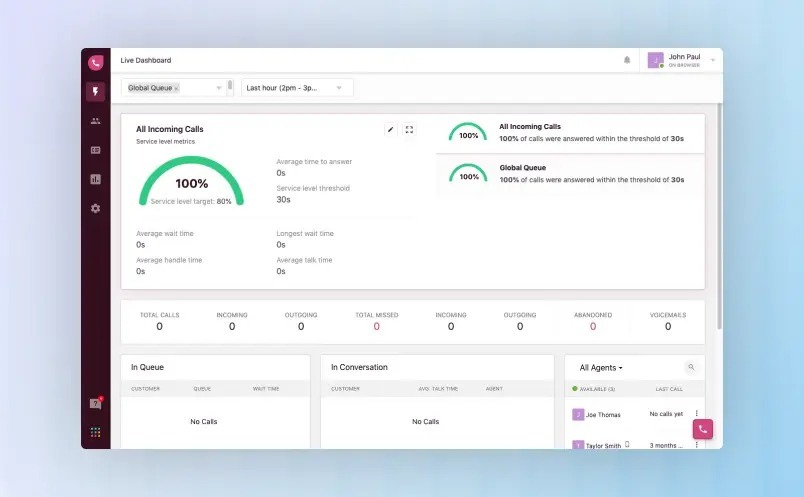
Freshdesk is a cloud-based customer support platform designed to help growing businesses manage customer conversations efficiently. Known for its clean interface and flexible ticketing system, Freshdesk enables support teams to centralize communication, improve response times, and gain visibility into customer service performance.
Unlike all-in-one contact center suites, Freshdesk primarily focuses on helpdesk and ticket management, with optional voice capabilities available through its Freshcaller integration.
Core Capabilities of Freshdesk
Freshdesk’s Free Plan provides a solid foundation for small teams looking to streamline customer support without upfront costs. It includes essential helpdesk tools that allow agents to collaborate, prioritize tasks, and maintain conversation history in a shared workspace.
Key highlights include intelligent ticket routing, threaded conversations for better context, and task management tools that help teams stay organized. Users can also create internal and external knowledge base articles, empowering customers to find answers on their own while reducing ticket volume.
For businesses that rely on voice support, Freshdesk works seamlessly with Freshcaller, its cloud-based VoIP solution. While calling minutes are billed separately, the Freshcaller Free Plan includes core phone features such as caller identification, custom greetings, and real-time desktop alerts.
Freshdesk Pricing Overview
Freshdesk offers a flexible pricing model to accommodate teams of different sizes and maturity levels.
- Free Plan – Ideal for startups and small teams with basic support needs
- Paid Plans – Range from $15 to $79 per agent per month, unlocking advanced features like customer portals, real-time analytics, automation, and deeper reporting
- Day Pass Option – Available starting at $2 per agent per day, useful for seasonal teams or short-term staffing needs
Organizations on Pro and Enterprise plans can also add Freddy AI, Freshdesk’s generative AI assistant, to help automate responses, summarize tickets, and improve agent productivity.
Top Freshdesk Features
Shared Team Inbox
A centralized inbox allows agents to view, assign, and collaborate on customer inquiries across channels, ensuring no message is missed.
Advanced Ticketing System
Freshdesk enables structured ticket creation with SLA management, priority rules, and automated assignments to improve resolution speed and accountability.
Built-in Reporting & Analytics
Teams gain access to detailed calling and ticket reports, helping managers identify service gaps, track agent performance, and optimize workflows using predefined or custom metrics.
Pros and Cons: What Users Say
Pros
- Strong security features including SSO, role-based access, and HIPAA compliance
- Extensive KPI tracking with support for custom metrics
- Large ecosystem of third-party integrations for CRM, marketing, and productivity tools
Cons
- Native VoIP functionality requires an additional Freshcaller subscription
- Real-time dashboards are limited to paid plans
- Automation capabilities are less robust compared to enterprise contact center platforms
Best Use Cases for Freshdesk
Freshdesk is particularly well-suited for healthcare organizations, where data security and compliance are critical. Its HIPAA and HITECH compliance, combined with granular access controls, make it a reliable choice for medical practices, clinics, and healthcare service providers.
As support operations grow, Freshdesk scales easily, allowing businesses to expand their contact center without switching platforms. It is also a strong fit for SaaS companies, IT services, and customer-centric teams looking for a dependable, easy-to-use helpdesk solution.
Bitrix24
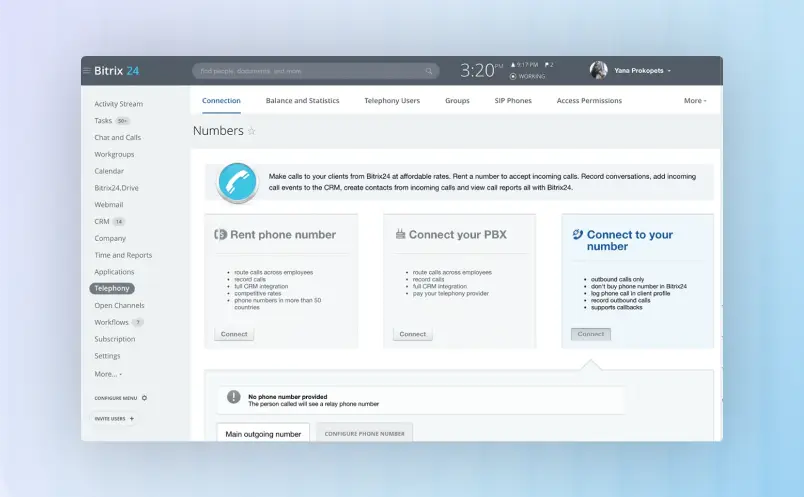
Bitrix24 is a cloud-based customer engagement and business management platform that combines CRM, contact center, and team collaboration in one unified system. Designed for small to mid-sized businesses as well as growing enterprises, Bitrix24 helps organizations centralize customer conversations, automate workflows, and improve visibility across sales and support operations.
Unlike traditional helpdesk software, Bitrix24 goes beyond ticketing. It connects communication channels, lead management, project collaboration, and customer data into a single workspace, allowing teams to manage the entire customer lifecycle from first contact to long-term relationship management.
Core Capabilities of Bitrix24
Bitrix24’s Free Plan supports unlimited users and provides a strong foundation for businesses that want to manage customer communications and CRM without upfront cost. Even at this level, teams can capture leads, communicate with customers, and organize internal work in one place.
The Bitrix24 Contact Center enables businesses to communicate with customers across multiple channels, including email, live chat, telephony, website forms, and popular social messaging platforms such as Facebook, WhatsApp, and Instagram. Every interaction is automatically logged into the CRM, giving agents full context of customer history and engagement.
Built-in telephony and call tracking allow teams to receive and place calls directly from the platform, while website widgets and CRM forms help convert visitors into leads and support requests. This tight CRM integration ensures that no conversation or opportunity is lost.
Bitrix24 Pricing Overview
Bitrix24 uses a flat-rate pricing model per organization, not per agent, which makes it cost-effective for scaling teams.
- Free Plan: Unlimited users with basic CRM, contact center, and collaboration tools
- Basic Plan: For small teams needing expanded contact center and CRM features
- Standard & Professional Plans: Add automation, advanced reporting, marketing tools, and higher user limits
- Enterprise Plans: Designed for large organizations with high storage, security, and customization needs
This pricing structure allows companies to grow without worrying about rising per-seat licensing costs.
Top Bitrix24 Features
Omnichannel Contact Center
Manage voice, chat, email, and social messages from one dashboard to ensure consistent customer engagement.
CRM-Integrated Support
All conversations are linked to customer profiles, deals, and history, giving agents a 360-degree view of every contact.
Workflow Automation
Automate lead routing, follow-ups, ticket assignments, and internal approvals to reduce manual workload.
Team Collaboration Tools
Includes built-in chat, video meetings, task management, and document sharing for seamless internal coordination.
Pros and Cons: What Users Say
Pros
- All-in-one platform for CRM, contact center, and collaboration
- Flat pricing model is budget-friendly for growing teams
- Strong omnichannel communication support
- Highly customizable workflows and automation
Cons
- Learning curve due to the wide feature set
- Advanced telephony and automation require paid plans
- Interface may feel complex for small support-only teams
Best Use Cases for Bitrix24
Bitrix24 is ideal for businesses that want a single platform for sales, support, and collaboration. It works especially well for SMBs, SaaS companies, digital agencies, and service providers that rely on multi-channel customer engagement and CRM-driven workflows.
For organizations looking to eliminate tool sprawl and manage customer relationships at scale, Bitrix24 offers a powerful and cost-effective contact center solution.
CallCentric
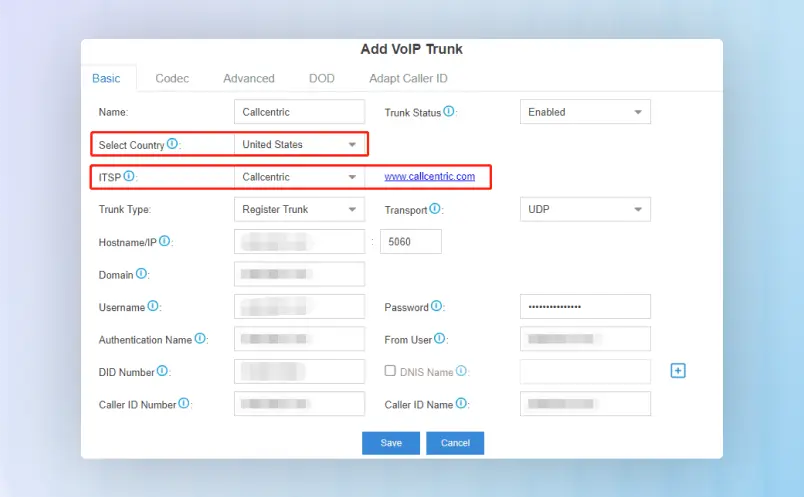
CallCentric is a premier cloud-based communication provider engineered for businesses that prioritize crystal-clear voice quality and ultimate configuration flexibility. While many modern platforms treat voice as a secondary “add-on,” CallCentric puts telephony at the forefront, offering a robust SIP-based infrastructure that gives businesses total control over their communication stack.
Unlike rigid, per-user helpdesk platforms, CallCentric provides a high-performance alternative for companies that need enterprise-grade phone features without the enterprise price tag.
Core Capabilities of CallCentric
The CallCentric philosophy is built on freedom and functionality. Whether you are a solopreneur or a high-volume contact center, the platform scales to meet your specific call flow requirements.
- Bring Your Own Device (BYOD): Unlike closed ecosystems, CallCentric works with almost any SIP-compatible hardware or software, including IP phones, softphones, and PBX systems like 3CX or Asterisk.
- World-Class Inbound Management: From sophisticated IVR (Auto-Attendants) to advanced call hunting and queues, you can design a “big company” presence even if you’re a team of two.
- Global Reach, Local Presence: Effortlessly manage Toll-Free numbers or local DIDs in thousands of rate centers across the US, Canada, and internationally.
CallCentric Pricing Overview
CallCentric breaks the industry mold by offering transparent, usage-based pricing. Say goodbye to expensive “per-seat” monthly fees that penalize you for growing your team.
- Pay-Per-Call Plans: Ideal for low-volume users who only want to pay for exactly what they use.
- Flat-Rate Office Plans: Budget-friendly monthly bundles for high-volume inbound and outbound calling.
- Free Features: Every account includes free CallCentric-to-CallCentric calling, basic voicemail-to-email, and detailed call treatments.
Pro Tip: Because CallCentric doesn’t charge “per agent,” you can scale your support staff during peak seasons without your software bill skyrocketing.
Top CallCentric Features
Advanced Call Treatments Go beyond basic forwarding. Create complex routing rules based on Time-of-Day, Caller ID, or Whitelists/Blacklists to ensure every call reaches the right person at the right time.
Multi-Level IVR (Auto-Attendant) Provide a professional greeting and direct callers efficiently. Our IVR system is fully customizable, allowing for nested menus that help callers find answers—and help you reduce “dead-end” transfers.
SMS & MMS Support Modern customer service isn’t just about voice. CallCentric enables text messaging on your business numbers, allowing you to meet customers on their preferred channel while keeping your personal number private.
Pros and Cons: The User Verdict
Pros
- Massive Cost Savings: Eliminating per-user licensing often cuts communication overhead by 40-60%.
- Unmatched Reliability: A carrier-grade network designed for high uptime and low latency.
- Granular Control: Ideal for IT managers who want to tweak every aspect of their SIP headers and routing logic.
Cons
- Learning Curve: The interface is built for power users; beginners may need a moment to navigate the deep technical settings.
- No Native CRM: While it integrates with almost any PBX, it is a telephony provider first, not a built-in ticketing system.
Best Use Cases for CallCentric
CallCentric is the go-to choice for Remote Teams and Distributed Workforces that need a reliable, cloud-based hub for their phone system. It is also a favorite among Tech-Savvy SMBs and Consultancies who want to integrate professional voice capabilities into their existing CRM or Helpdesk workflow via SIP.
If you are looking for a “voice-first” solution that prioritizes call quality and cost-efficiency over flashy, expensive “all-in-one” bundles, CallCentric is your ideal partner.
OnSIP
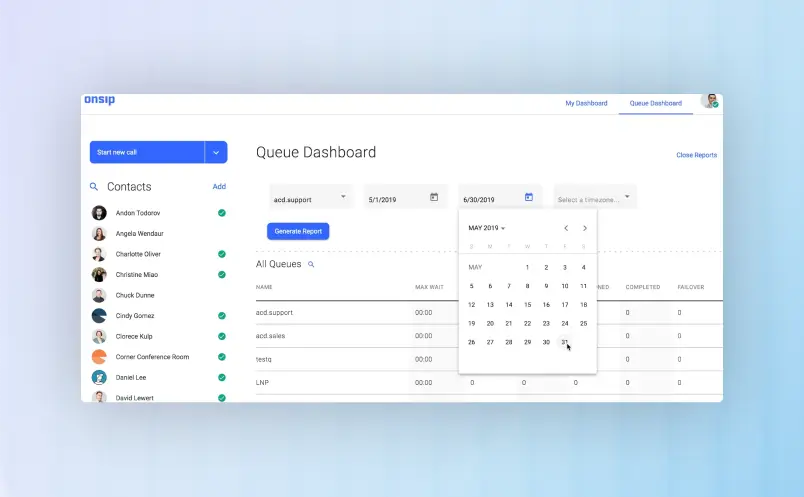
OnSIP delivers a robust cloud-based VoIP phone system that empowers businesses to handle calls, teams, and growth without the hassle of traditional hardware. With its intuitive interface and unlimited calling features, OnSIP centralizes voice communications, slashes costs, and provides crystal-clear HD audio for seamless customer interactions.
Unlike bloated all-in-one suites, OnSIP zeroes in on reliable phone service with built-in contact center tools, making it the go-to for teams needing scalable telephony without complexity.
Core Capabilities of OnSIP
OnSIP’s Free Trial kicks things off strong for businesses testing the waters, offering full access to core VoIP features with no commitment. Set up unlimited extensions, ring groups, and auto-attendants in minutes to keep your team connected and productive.
Key standouts include smart call routing, voicemail-to-email transcription, and mobile/softphone apps for on-the-go access. Build a self-service IVR menu to handle routine inquiries, freeing agents for high-value conversations. For growing teams, OnSIP Contact Center adds omnichannel queues, real-time supervisor dashboards, and skills-based routing—all powered by the same reliable SIP trunking backbone.
OnSIP Pricing Overview
OnSIP keeps it simple and transparent with per-user pricing that scales with your needs—no hidden fees or long-term contracts.
Free Trial – Jump in with 30 days of unlimited calling to North America, perfect for startups validating VoIP fit.
Paid Plans – Start at $19.95 per user per month for Essentials (unlimited US/Canada calling, basic features), up to $29.95 for Advanced (contact center tools, analytics, API access). Enterprise custom pricing unlocks global calling and white-glove support.
Pay-As-You-Go SIP Trunking – Just $4.99 per channel/month for pure inbound/outbound needs, ideal for call centers or seasonal spikes.
Add-ons like international calling or premium contact center AI are billed à la carte, ensuring you only pay for what you use.
Top OnSIP Features
Unlimited Calling & HD Voice
Enjoy crystal-clear calls with unlimited domestic minutes, plus video conferencing and SMS, all included standard.
Advanced Contact Center Tools
Queue calls intelligently with ACD routing, wallboards, call recording, and barge/whisper coaching to boost agent performance and customer satisfaction.
Robust Reporting & Analytics
Dive into call logs, QoS metrics, real-time dashboards, and custom reports to spot trends, measure SLAs, and fine-tune your setup.
Pros and Cons: What Users Say
Pros
- Enterprise-grade security with TLS/SRTP encryption, HIPAA compliance, and 99.999% uptime SLA
- Seamless integrations with CRM giants like Salesforce, Zendesk, and Microsoft Teams
- No hardware required—deploy in minutes across web, desktop, or mobile apps
- 24/7 US-based support with white-glove onboarding
Cons
- Advanced contact center features require the higher-tier plan
- International calling incurs per-minute fees (though competitive)
- Lacks native ticketing (pairs perfectly with tools like Freshdesk)
Best Use Cases for OnSIP
OnSIP shines for healthcare providers demanding HIPAA-compliant VoIP, with secure call handling for telehealth, clinics, and hospitals. Its granular permissions and audit logs keep PHI safe.
For distributed teams in SaaS, e-commerce, or remote-first companies, OnSIP scales effortlessly add users instantly without downtime. IT services, call centers, and sales ops love its cost savings (up to 50% vs. carriers) and reliability for high-volume calling.
3CX
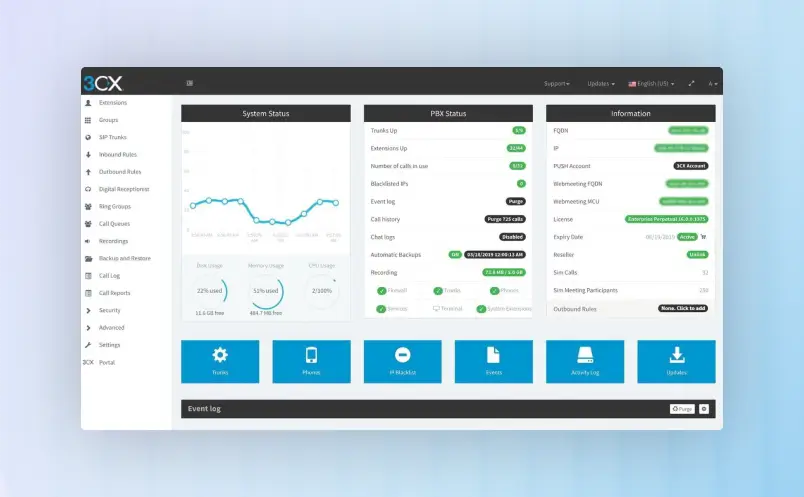
In an era where seamless communication defines business success, 3CX stands out as a robust, software-based PBX that redefines the traditional phone system. Unlike rigid, hardware-heavy legacy systems, 3CX offers an open-platform solution that integrates voice, video, and messaging into a single, cohesive ecosystem. Designed for flexibility, it allows businesses to break free from proprietary hardware and take full control of their communications.
While many platforms focus strictly on helpdesk ticketing, 3CX is a communications-first powerhouse. It bridges the gap between a standard office phone system and a sophisticated contact center, offering high-level features without the “per-user” price creep common in the SaaS industry.
Core Capabilities of 3CX
The 3CX philosophy is built on deployment freedom. Whether you want to run your system in the cloud (Google Cloud, Azure, AWS) or on-premise on a Windows or Linux machine, 3CX adapts to your infrastructure not the other way around.
- Omnichannel Communication: 3CX unifies Live Chat, WhatsApp, SMS, and Video Conferencing into one interface. This ensures your team can engage customers on their preferred platforms without toggling between multiple apps.
- Remote Work Ready: With native apps for iOS, Android, and Web, 3CX turns any smartphone or laptop into a full-featured office extension. This eliminates the need for expensive desk phones while maintaining professional identity through business caller ID.
- Video Conferencing Included: Unlike competitors that require third-party subscriptions like Zoom or Teams, 3CX includes integrated, app-free web conferencing for up to 250 participants.
3CX Pricing Overview
3CX disrupts the market with a unique “Per-System” pricing model rather than the traditional “Per-User” fee. This makes it exceptionally cost-effective for growing teams.
- FREE Plan – Ideal for small businesses (up to 10 users), offering a hosted solution with basic PBX features, live chat, and WhatsApp integration at no cost.
- Dedicated Pro & Enterprise – Starting at an annual flat rate, these plans unlock advanced call center features like call recording, queues, CRM integration (Salesforce, HubSpot), and hot desking.
- Unmatched Savings – By allowing businesses to choose their own SIP Trunk provider (for calling minutes), 3CX often reduces monthly telco bills by up to 80%.
Pro Tip: Because you pay by simultaneous calls rather than total extensions, you can add 100 employees to the system without your monthly bill increasing by a single cent.
Top 3CX Features
Unified Communications Client
3CX provides a “single pane of glass” view. Agents can see the status of colleagues (Presence), answer calls, reply to WhatsApp messages, and launch video meetings from a single desktop or mobile app.
Advanced Call Center Tools
For high-volume environments, 3CX offers sophisticated features like Call Queuing, Listen-In/Whisper/Barge-in for manager coaching, and Visual Wallboards to monitor service level agreements (SLAs) in real-time.
Seamless CRM Integration
3CX syncs instantly with popular CRMs. When a customer calls, a pop-up displays their record automatically. This reduces “search time” and allows your team to provide personalized service from the very first second.
Pros and Cons: What Users Say
Pros
- Massive Cost Savings: The per-simultaneous-call pricing is arguably the best value in the VoIP industry.
- Vendor Independence: You aren’t locked into a specific hardware brand or telecom provider.
- Ease of Management: A user-friendly management console makes it easy for IT admins to add extensions and change routing rules.
Cons
- Technical Setup: While the interface is easy, initial configuration (especially on-premise) may require more IT knowledge than “plug-and-play” SaaS apps.
- Hosting Responsibility: Unless using “Hosted by 3CX,” businesses are responsible for managing their own cloud or local server.
Best Use Cases for 3CX
3CX is the go-to solution for mid-market enterprises and hospitality sectors. Its specialized Hotel Module integrates with Property Management Systems (PMS) to handle guest check-ins, wake-up calls, and billing, making it a staple in the travel industry.
It is also highly favored by Professional Services (Law, Real Estate, Accounting) and Inbound Call Centers that require professional-grade features like call recording and reporting without the enterprise-level price tag. If your business values scalability, data ownership, and aggressive cost-cutting, 3CX is the clear winner.
Anveo
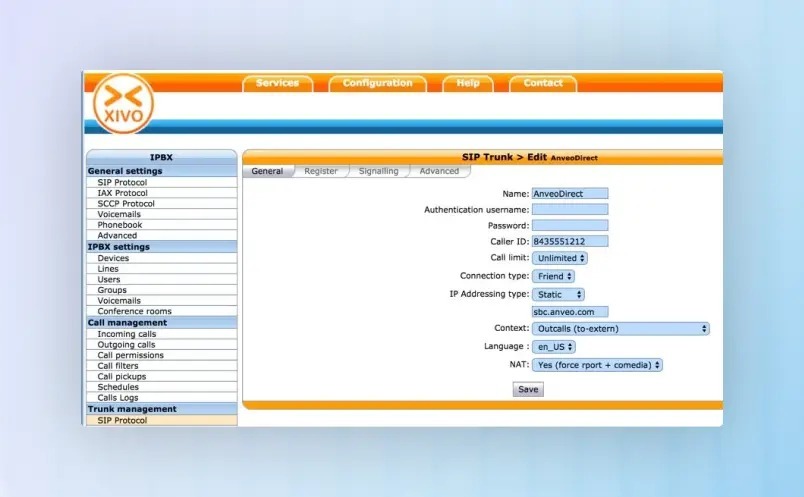
Anveo is a premier global provider of communication solutions, specializing in Direct Routing for Microsoft Teams and automated service delivery. Designed for businesses that require high-availability voice services without the complexity of traditional telecom, Anveo bridges the gap between digital collaboration and global telephony.
Unlike generic VoIP providers, Anveo focuses on carrier-grade infrastructure and developer-friendly automation, making it a top choice for MSPs (Managed Service Providers) and enterprises looking to optimize their Microsoft 365 environment.
Core Capabilities of Anveo
Anveo’s power lies in its Direct Routing as a Service (DRaaS). It allows businesses to bring their own voice identity into Microsoft Teams, providing a more flexible and cost-effective alternative to standard Microsoft Calling Plans.
Key highlights include a highly resilient global network that ensures low latency and crystal-clear audio quality across continents. Their automated provisioning portal allows IT administrators to deploy phone numbers and users in minutes rather than days. Additionally, Anveo provides robust E911 emergency services management, ensuring North American organizations remain compliant with Kari’s Law and the RAY BAUM’S Act.
For developers and technical teams, Anveo offers a sophisticated API-first approach, enabling seamless integration of voice and messaging into existing business workflows and custom-built applications.
Anveo Pricing Overview
Anveo utilizes a transparent, pay-as-you-go and subscription-hybrid model tailored for maximum ROI.
- Usage-Based Plans – Perfect for businesses with fluctuating call volumes who want to pay only for the minutes they consume.
- Per-User Subscriptions – Fixed-rate options for Microsoft Teams Direct Routing, offering predictable monthly costs for high-volume environments.
- Zero Upfront Costs – No expensive hardware or local PBX maintenance is required, as the infrastructure is entirely cloud-native.
Note: Large-scale deployments and MSP partners can access tiered wholesale pricing to improve margins on resold services.
Top Anveo Features
Global Direct Routing for Teams
Anveo provides a seamless bridge to the Public Switched Telephone Network (PSTN) for Microsoft Teams, allowing users to make and receive global calls directly from their Teams interface on any device.
Automated Provisioning Portal
The user-friendly dashboard eliminates the need for complex PowerShell scripts. Administrators can manage phone numbers, assign users, and configure call routing with a few clicks.
Geographically Redundant Infrastructure
With multiple Points of Presence (PoPs) across the USA, Europe, and Asia, Anveo ensures 99.99% uptime through automated failover and intelligent call routing.
Pros and Cons: What Users Say
Pros
- Cost-Efficiency: Significantly lower monthly recurring costs compared to standard Microsoft Calling Plans.
- Expert Support: High-tier technical support with deep expertise in SIP trunking and Microsoft ecosystem integration.
- Compliance: Fully compliant E911 services, essential for US-based enterprises and healthcare facilities.
Cons
- Technical Learning Curve: While the portal is intuitive, the initial setup of Direct Routing requires a basic understanding of the Microsoft 365 Admin Center.
- Niche Focus: Primarily optimized for Teams and SIP trunking; may not offer the “all-in-one” CRM features found in helpdesk-specific platforms.
Best Use Cases for Anveo
Anveo is the go-to solution for Managed Service Providers (MSPs) who need a reliable, white-labelable voice backbone to offer their clients. It’s also highly effective for mid-market enterprises that have already adopted Microsoft Teams as their primary collaboration tool and want to consolidate their telephony into a single pane of glass.
Furthermore, it is a preferred choice for multi-national corporations that need local presence (DID numbers) in dozens of countries while maintaining centralized management. Whether you are a lean startup or a distributed enterprise, Anveo scales your communication as fast as you scale your business.
FreePBX
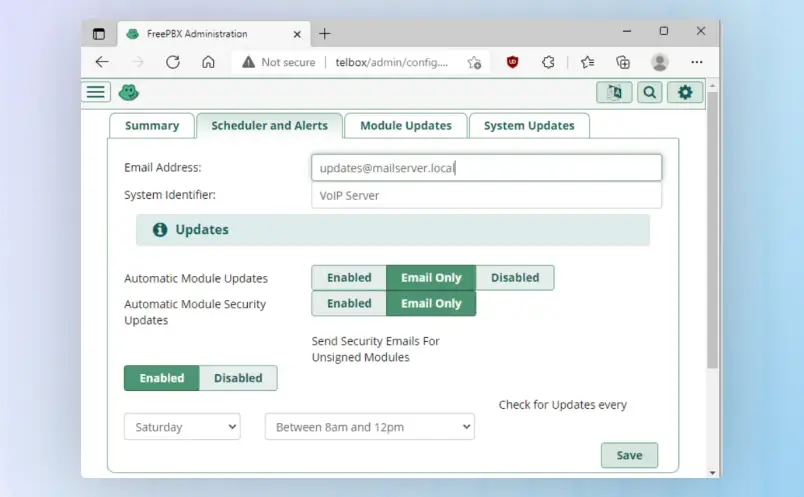
FreePBX is the world’s most popular open-source IP-PBX (Private Branch Exchange) platform, designed to give businesses total control over their telecommunications. Built on the powerhouse Asterisk engine, FreePBX provides a web-based graphical user interface (GUI) that simplifies the management of complex VoIP systems.
Unlike proprietary “black box” phone systems that lock you into rigid contracts and per-user fees, FreePBX offers a highly customizable, flexible environment. It’s the go-to solution for IT professionals and business owners who want a professional-grade phone system without the “vendor lock-in” tax.
Core Capabilities of FreePBX
FreePBX is built on the philosophy that enterprise-grade communication should be accessible to everyone. Because it is open-source, the base software is free to download and install, providing a massive toolkit for organizations to build a custom-tailored communication stack.
Key highlights include unlimited extensions, advanced IVR (Interactive Voice Response) menus, and sophisticated call queuing. The platform supports Follow Me and Find Me functionality, ensuring team members stay connected whether they are at their desks or in the field.
For businesses prioritizing security and reliability, FreePBX includes a built-in firewall and support for VPN-based connections, making it a secure choice for remote workforces. Its modular architecture allows you to start with the basics and add specific functionalities as your business requirements evolve.
FreePBX Pricing Overview
FreePBX offers a unique “freemium” model that prioritizes cost-efficiency and scalability.
- Free Base Software – The core FreePBX framework is $0. There are no per-user license fees, making it incredibly cost-effective for growing teams.
- Commercial Modules – Enhance your system with “a la carte” features. These are one-time or subscription-based add-ons (like Call Recording Reports or Endpoint Manager) that range from $25 to a few hundred dollars.
- Hardware & Hosting – While the software is free, you choose your hardware (on-premise server or appliance) or host it in the cloud.
Organizations looking for a “plug-and-play” experience often opt for Sangoma’s official PBXact, which is the hardened, commercially supported version of FreePBX.
Top FreePBX Features
Web-Based Administration The intuitive GUI allows administrators to manage users, extensions, and system settings from any browser, eliminating the need for complex command-line coding.
Highly Flexible IVR & Auto-Attendant Create professional-grade phone trees and automated greetings. This ensures callers reach the right department quickly, improving the customer experience and reducing manual transfers.
Universal Connectivity FreePBX is “SIP-neutral.” It works with almost any SIP trunking provider and a vast array of hardware, including IP phones from brands like Sangoma, Yealink, and Cisco.
Pros and Cons: What Users Say
Pros
- Zero Licensing Fees: Scale from 5 to 500 users without your monthly software bill increasing.
- Total Ownership: You own your data and your system; you aren’t at the mercy of a service provider’s uptime or price hikes.
- Massive Community Support: A global community of developers and users means endless documentation, forums, and third-party plugins.
Cons
- Learning Curve: While the GUI is helpful, setting up an on-premise PBX requires more technical knowledge than a simple SaaS app.
- Maintenance Responsibility: Since you own the system, you (or your IT team) are responsible for updates, backups, and security patches.
- Support Costs: Official technical support from the developers is a paid service, though the community forums are free.
Best Use Cases for FreePBX
FreePBX is an ideal fit for Small to Medium-Sized Businesses (SMBs) that want to cut their monthly telecom spend while retaining high-end features. It is particularly popular among IT-managed service providers who need a reliable, customizable platform to deploy across various client sites.
Because it can be deployed on-premise, it is a top choice for government, legal, and education sectors that require strict data sovereignty and local control over their communication infrastructure. Whether you are a startup looking for a “forever” phone system or a multi-site enterprise needing a robust VoIP backbone, FreePBX scales to meet your exact specifications.
Google Voice for Business
Google Voice is a cloud-native telephony solution built for the modern, flexible workforce. As part of the Google Workspace ecosystem, it’s designed to strip away the complexity of traditional desk phones, offering businesses a streamlined way to stay connected from any device. Known for its “it just works” simplicity and deep integration with Google Meet and Calendar, Google Voice empowers teams to manage professional communication without the hardware overhead.
Unlike legacy PBX systems or complex omnichannel platforms, Google Voice focuses on crystal-clear voice communication and ease of deployment, making it the go-to choice for businesses that value speed and mobility.
Core Capabilities of Google Voice
The true power of Google Voice lies in its serverless simplicity. For businesses already living in Google Workspace, adding Voice is a seamless transition rather than a new software hurdle. It provides a dedicated business number that rings across your laptop, smartphone, and desk phone simultaneously.
Key highlights include AI-powered spam filtering, which keeps your team focused on real customers, and automated voicemail transcription that sends text versions of messages directly to your inbox. The platform also features “Ring Groups,” allowing incoming calls to be routed to multiple team members at once to ensure no lead goes unanswered.
For growing organizations, the Multi-level Auto-attendant acts as a virtual receptionist, routing callers to the right department (e.g., “Press 1 for Sales”) without requiring a live operator.
Google Voice Pricing Overview
Google Voice offers a transparent, tiered pricing model designed to scale alongside your headcount.
Note: A Google Workspace subscription is required to use Google Voice for Business.
- Starter – $10 per user/month: Perfect for small businesses (up to 10 users) needing basic calling, SMS (US only), and mobile/web access.
- Standard – $20 per user/month: The “sweet spot” for most US businesses. It offers unlimited users, multi-level auto-attendants, and desk phone support.
- Premier – $30 per user/month: Tailored for international organizations, adding advanced data reporting and the ability to assign numbers in multiple countries.
Top Google Voice Features
Smart Call Routing & Auto-Attendant Create a professional first impression with a virtual receptionist. You can easily set up menus to route calls based on office hours or department needs, ensuring 24/7 professionalism.
AI Voicemail Transcription Don’t let a meeting stop you from staying updated. Google’s industry-leading speech-to-text technology transcribes voicemails accurately, allowing you to read and prioritize messages in seconds.
Seamless Workspace Integration Google Voice isn’t just an app; it’s part of your workflow. It syncs with Google Calendar to automatically update your “Do Not Disturb” status during meetings and logs calls directly within your ecosystem.
Pros and Cons: What Users Say
Pros
- Lightning-Fast Setup: You can deploy a new business number and have an agent taking calls in under five minutes.
- Zero Learning Curve: The interface is identical to the personal Google Voice millions already know and love.
- Cost-Efficient: One of the most affordable professional VoIP solutions on the market with no hidden “per-minute” fees for domestic calls.
Cons
- Feature Lite: Lacks the deep CRM integrations and complex ticket-tracking found in platforms like Freshdesk.
- Workspace Dependency: You cannot purchase Google Voice as a standalone product; you must be a Google Workspace customer.
- Limited SMS: Business texting is currently restricted to US customers only.
Best Use Cases for Google Voice
Google Voice is the premier choice for startups and distributed teams that prioritize agility. Because it requires zero hardware, it’s a favorite for remote-first companies where employees use their own devices but need to maintain a professional “work-life” boundary.
It is also an ideal fit for real estate agencies, consultancies, and local service providers who need a reliable, low-maintenance phone system that scales without the need for an IT department. If your business already runs on Gmail and Drive, Google Voice is the most logical and cost-effective way to bring your professional communications under one roof.
Free Cloud PBX: Affordable Business Phone Power
Before diving into our top VoIP picks, know this: truly free plans won’t hand you full enterprise firepower, but they’re killer entry ramps to VoIP and unified comms magic. These standout providers are built for savvy teams laser-focused on slashing costs without skimping on essentials.
SMBs are exploding in the VoIP space with projected 15%+ growth by 2026. So nailing the perfect fit is your ticket to staying ahead. Contract-free trials let you pit top business VoIP services
head-to-head, spotlighting each cloud PBX provider’s superpowers and quirks to fuel smart decisions.
Frequently Asked Questions