What is Interactive Voice Response (IVR)? A Business Guide
- October 9, 2026
- 16 Mins Read
- Listen

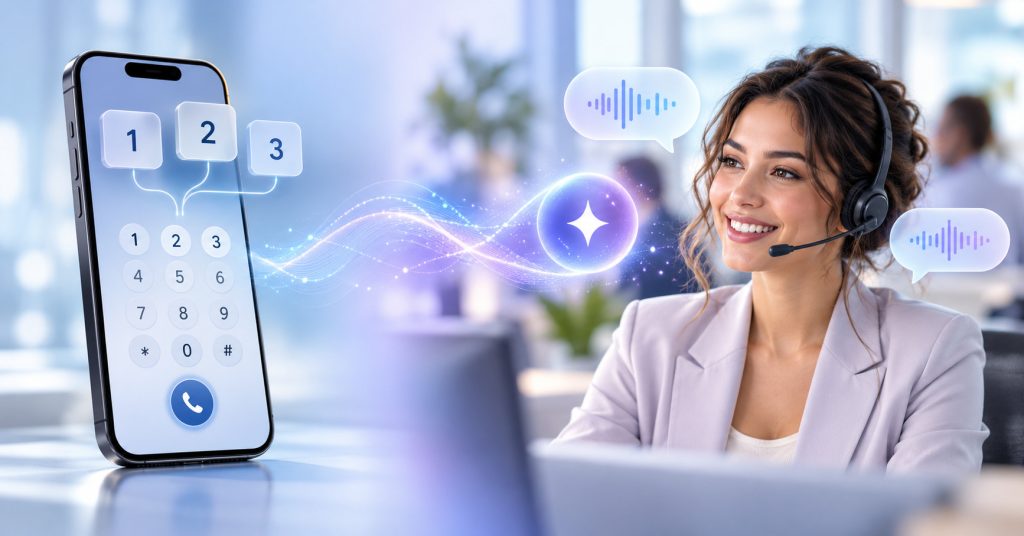
Interactive Voice Response, or IVR, is an automated phone system technology that lets callers interact with a phone system by pressing keys on their phone or using voice commands, without waiting for a receptionist. An IVR handles all the simple and routine requests or queries on its own and forwards complex matters to the right agent or team.
When a caller dials a business number, they hear an automated greeting and menu, like press 1 for sales, press 2 for billing,” or enter your account number”. The caller enters the input, and the phone system picks up their answer. Based on that, it processes their requests and gives back the output or passes the call to the right agent or department. IVR is heavily used by businesses in almost every industry because it shortens customer wait times, keeps agents free for complex issues, and simplifies the overall customer call flow journey.
What is Interactive Voice Response?
Ever heard the automated voice you talk to when you call a company or business? It says hello, then gives you a few options to choose from and then processes what you pick. It takes care of what you need by providing you with appropriate outputs or simply redirects you to the right person. That’s IVR.
What Does IVR Stand For?
IVR is the short form for Interactive Voice Response, where each word of this term does a job:
Interactive: the system makes the caller provide an input, like pressing a key or answering a question
Voice: the system talks to the caller through recorded prompts
Response: the system provides a reaction to the caller’s input in the form of an answer or redirection to an appropriate agent
Traditional IVR systems only understood keypad tones, also called DTMF, which is the beep sound you hear when a key is pressed. Modern IVRs are able to understand speech, enabling callers to either press a button or simply say what they want.
What is an IVR System?
An IVR system is a whole setup that begins with a telephony connection that allows incoming calls. The IVR software plays the voice prompts like greetings, menus, etc., and listens for the caller’s input or reply. Then the predefined call flow logic decides the output the system provides to the caller. If the caller needs account-related information, the system pulls it from a relevant database and provides it to the caller. In cases where agent intervention is required, the system routes the call to the right agent or department.
What is IVR Software?
IVR software is the part where the call flow is built and managed. It covers the IVR menus, the prompts, and the predefined rules for how each caller input is to be handled. In other words, it is the IVR software that runs the self-service tasks like checking account balance and decides where the calls get routed. This software also connects with your business’s backend systems to fetch or update information.
Is IVR the Same as an Automated Phone System?
Not really; an automated phone system is an umbrella term that covers anything that handles incoming calls without a human. Thus, a simple voicemail or a recorded message that plays to after-hours callers is also part of automated phone systems. In a practical sense, we can say that IVR is one type of automated phone system where callers interact with the system and the system responds to their inputs. So in essence, every IVR is an automated phone system, but not every automated phone system is an IVR.
How Does Interactive Voice Response Work?
IVR makes conversations between the callers and the system possible. Here’s how it works, step by step:
1. Caller Initiates the Call
Someone dials the company’s phone number. It could be a customer checking their order status, a patient booking their appointment, or anyone who needs information or help. Now the call arrives on the company’s phone line, and the IVR system picks it up.
2. IVR Answers the Call
IVR plays a greeting like Thanks for calling. How can we help you? followed by a menu of options like Press 1 for account balance, Press 2 for billing, Press 3 to activate a new service, etc.
3. IVR Collects Caller Input
The system then listens to the input provided by the caller. Usually, the caller can respond in two ways:
Keypad input (DTMF): The caller presses a number on their phone according to the menu provided by the IVR. Each key makes a different sound, so the system reads that tone and identifies what the caller has pressed.
Voice Input: Here, the caller says what they need in their own words, like “I want to know the status of my order.” Speech recognition in an IVR system turns what they said into something the system can understand and act on.
Many modern IVR systems accept both types of input from callers, so they can use whichever feels easier.
4. IVR Processes the Request
Once the system receives the input, it works out what the caller wants. With keypad input, that’s simple because each number is tied to a predefined answer path. With speech, the system needs to understand the meaning behind the words. Once identified, the call-flow rules then decide what is to be done.
5. IVR Connects With Business Systems
To provide callers with information, IVR needs real, updated information. So it gets linked with the tools that the business already uses. Depending upon the call, that could be:
- to recognize the caller and pull up their record, it connects with a CRM
- to check a balance or take a payment it connects with a billing system
- to confirm account details, it connects with a customer database
- to look up a delivery status, it connects with an order management system
- to book, change, or cancel a slot, it connects with an appointment system
This way, an IVR works to solve real customer problems.
6. IVR Provides Self-Service or Routes the Call
Now at this step, the IVR system takes action. Depending on what the caller needs, the system provides the information, routes the call to the right department, or transfers them straight to an agent. Most of the customer queries end up here, and they never have to talk to any agent.
7. IVR Transfers Context to the Agent
In case the call needs human intervention, the IVR provides the already learned information to the agent. This means the agent can see who’s calling, what they selected, and what information they have already shared. So the agent doesn’t have to repeat their problem all over again, which solves the biggest issue customers report about phone support.
What are the Different Types of IVR Systems?
Different IVR systems work in different ways; some process keypad presses while others are built to understand human words. Let’s take a look:
Touch-Tone IVR
This one is the classic version of IVR. When the caller presses the keys on their phone to move through a menu, the system reads the tone of the keys, called DTMF, to know what option they picked.
This method is simple and reliable, and it works on any phone. The only downside is that it gets overwhelming for callers if the menu is too long.
Directed Dialogue IVR
Here, the callers speak about their requirement, and the IVR system picks some specific keywords and processes the request based on its understanding. This type of IVR is useful when callers don’t want to press keys, like when they are driving. However, the downside of these systems is that if the caller says something outside the keywords understood by the system, it may get stuck and ask the caller to repeat.
Speech Recognition IVR
This type of IVR system uses speech recognition technology to convert callers’ words into text so that the system can understand and work on it. These systems offer a wider scope of spoken words compared to a fixed list of keywords or commands.
Natural Language IVR
With these types of IVRs, callers can simply say what they need in their own words. The system is capable of understanding natural language and can process the request accordingly.
AI-Powered / Conversational IVR
The most advanced version of IVR is the one that uses AI and natural language to understand the caller’s intent, and it can even carry on a back-and-forth conversation to resolve issues completely.
What Are the Key Features of an IVR System?
A good IVR should be able to solve problems that your business faces in terms of customer support. Here’s what it should be able to do, feature by feature:
Automated Call Answering
The system should pick up every incoming call right away and play a greeting that you have set up. You can change the greeting for business hours, holidays, or anything so that callers always hear the right message.
IVR Menu Management
You should be able to create and update IVR menus without starting from scratch. Even more, the system should allow you to set up multiple menu levels such as a main menu with sub-menus and map out where every choice leads.
DTMF Support
Callers should be able to move through the menu by pressing keys on their phone. This is one of the most dependable ways to capture inputs from callers.
Speech Recognition
Speech recognition in IVR is helpful for callers as they can talk to the system instead of pressing keys. This is helpful for people who have their hands full, as they can quickly provide their inputs to the system.
Text-to-Speech
This feature enables IVR systems to read out live information in a natural-sounding voice, such as an account balance, a delivery date, or an appointment time.
Call Routing
One of the most important IVR features is call routing that sends each caller to the right place, which can be a department, a queue, or an agent. Routing can be defined based on the menu, caller’s account, time of day, or whatever rules you set.
Caller Authentication
This one is critical because before the system shares anything private or sensitive with a caller, it should confirm who’s calling. Authentication can be performed by asking the caller for an ID, an account number, or another detail you choose, which keeps account information safe.
Call Queuing and Callback
Many times, all phone lines are busy. By using these features, callers can wait in a queue or request a callback. This helps reduce customer frustration and saves time for everyone.
Multilingual Support
This feature enables callers to pick the language they are most comfortable in so that the call follows the same language. It is helpful for businesses that serve customers in more than one region.
Reporting and Analytics
These features help in tracking the performance of your IVR system. You can see which options people mostly pick, where they hang up, and how many calls end up with an agent. This helps in identifying the areas of the IVR that need improvement.
API and Telephony Integration
These features help IVR to integrate with your existing business tools and pull in real data to be used in solving customer queries and issues.
What Are the Benefits of Interactive Voice Response?
The benefits of IVR are for both sides of the call. Support teams get fewer repetitive calls to deal with, and customers get their answers or queries resolved much faster.
1. 24/7 Customer Service
Before IVRs came, business phone lines had to go quiet during off hours. However, IVRs solve this problem by answering calls at night, on weekends, and even on holidays, by working 24/7. So even if your business office closes, customers can still check their orders, account balances, and leave requests for the next morning,
2. Faster Call Routing
With an IVR, callers simply need to press or say what they need. The system right away processes their input and delivers an answer or sends them to the right desk. This eliminates customers bouncing between agents and repeating their problem each time.
3. Reduced Agent Workload
Most of the calls a business receives are routine queries like “where’s my order?” “What is my account balance?” etc. IVR handles such queries quite effortlessly, allowing agents to focus on calls that need a real person.
4. Self-Service for Routine Requests
With a human receptionist or agent, customers have to wait in a queue to get answers. But IVR helps them get information or complete small tasks on their own without any waiting. This means if a caller wants to check their order status at midnight, they can get the answer within a few seconds.
5. Lower Operational Costs
IVR reduces manual call handling, which means your existing team can handle more calls without requiring any additional staff. Thus, you spend less on repetitive work.
6. Consistent Customer Experience
IVR offers a consistent customer experience because every caller hears the same greeting, gets the same menu, and follows the same process.
7. Improved Caller Identification and Authentication
By the time a call reaches the agent, the IVR can already perform caller identification and authentication by asking them account number or PIN, enabling the agent to start helping instantly.
8. During Peak Hours
Manual call handling during peak hours can create a lot of mess. IVR keeps things under control by answering every call, handling what it can, and offering a queue spot or callback to everyone else.
9. Multilingual Customer Support
IVRs can interact with customers in the language of their choice. This helps businesses serve customers across different regions without needing agents for every language at all times.
10. Better Call Analytics
IVR gives you a picture of what callers do – which options they choose, where they give up, and how well the menu is working. Having visibility into these details enables you to fix confusing menus and identify the questions customers ask the most.
What is the Difference Between IVR and an Auto Attendant?
These two terms get mixed up all the time. They overlap but aren’t the same thing. An auto attendant is a business phone system feature that answers the call and sends it to the right agent or department. An IVR does the same, but it can also talk back and forth with the caller and get things done on its own.
| Feature / Capability | IVR (Interactive Voice Response) | Auto Attendant |
| Primary Focus | Supports interactive caller self-service | Mainly directs callers to extensions or departments |
| Main Function | Solves caller requests directly (e.g., pay bills, check balance) | Usually focuses on efficient call routing |
| Database Integration | Connects to databases, CRMs, and business systems | Standalone or basic call menu routing |
| Input Methods | Keypad (DTMF) tones and natural speech recognition | Often relies primarily on keypad selections |
| Authentication | Authenticates callers (e.g., PINs, passwords, account numbers) | Generally doesn’t handle complex authentication |
A simple way to understand the difference is through an example. Suppose a caller calls a business phone number. The call gets picked up, and the caller is asked: “Who would you like to speak to?” The caller provides input, and the system transfers the call straight away to the chosen destination. That’s autoattendant. Now imagine if the phone system can also look up your account, tell you your order status, and book your appointment before anyone gets involved. That’s IVR.
How to Design an Effective IVR System
A well -designed IVR can get calls sorted quite quickly. Whereas a bad one can make callers hang up and even call back frustrated. So here’s how you can ensure that your IVR is designed to support callers with their queries
- Keep your IVR menu short. Remember that every extra layer is a chance for your callers to get lost or give up.
- Put the most common options first. For this, identify why people ring most often from your call data.
- Always provide your callers with a clear agent option. If you try to hide this one, it would become frustrating for callers. So make this one easy and clear.
- Use simple language while writing your prompts. Simple examples are “billing” instead of “account services”. No jargon, please.
- Personalize the Caller Journey. Callers get pleased when they are greeted by their names. If the IVR knows who’s calling, put that to use. Greet them by name, skip questions you already have answers to, and show the options they’re most likely to need, using your CRM data.
Most businesses make this mistake of thinking that creating an IVR is a one-time job. But in reality, the real work starts once it is live. You have to keep an eye on the numbers and make adjustments to call abandonment, menu selections, transfer rates, repeat calls, and average time in IVR.
How to Choose the Right IVR Software
On paper, most of the IVR tools might appear the same, but the differences show up only when you bring it into real practice.
Telephony Compatibility
The IVR should work with the existing protocols and infrastructure you have, so that there’s no need to rebuild the foundation just to add a menu.
Call Flow Flexibility
Small changes should stay small. Call flows need frequent changes, such as during a new campaign or a seasonal offer. You should be able to build and edit flows through a visual editor without raising a developer ticket.
Speech and DTMF Support
Some callers are just comfortable with pressing keypad numbers, while others prefer to say what they need. The IVR software should handle both.
Scalability
It is important to check the number of concurrent calls the IVR can handle because that’s what matters on your busiest days. Checking this would help you understand how the IVR will cope with sudden volume spikes
Security
IVRs often touch sensitive information like account details identify checks, so it is important to check how security is embedded into the system. Ask about caller authentication, encryption for calls and stored data, role-based access for admins, and the compliance standards the vendor meets.
Cloud and On-Premise Deployment
Some enterprises prefer a cloud setup that’s live in a few days, while others focus on data residency rules or existing infrastructure that points toward on-premises or hybrid. It is better to go with a vendor that supports both, giving you the option to choose based on your requirements.
REVE Cloud PABX & Contact Center Solution
Basic phone menus are good to go, but only up to a certain point. REVE’s Cloud PABX & Contact Center Solution gives you an IVR that works as part of your wider communication setup, so callers get to the right place without the runaround. It works on speech recognition, so callers can speak naturally, and with text-to-speech, they can hear answers to their queries easily. Our team can walk you through the platform to help you understand how it fits your call volumes and existing systems.
Frequently Asked Questions